
How It Works · Recipe Box & Portal
Your recipes. One beautiful place.
Recipes have a way of ending up everywhere — websites, emails, family notes, screenshots, cookbooks and messages. Adaptive Kitchen brings them together in a clean Recipe Box you can actually use.

A quick tour
See Recipe Portal in Action
Explore the ways to bring a recipe into your kitchen, review it, and choose your next step.
About 1 minute · English captions included. Press play to watch with narration. Use the speaker control to adjust or mute the sound.
Read the video transcript
Start with an idea—and discover something delicious.
In Recipe Portal, search by keyword and use filters to narrow your choices. Explore the results, then take a closer look at a recipe that catches your eye.
Review ingredients, directions, source information, and available nutrition before deciding whether to save it.
Keep the original recipe, or work with Chef Agent in Recipe Studio to adapt it around your cooking needs, preferred methods, and equipment. You review and approve the finished recipe.
Already found a recipe you love? Copy its text, paste it into Recipe Portal, and see it organized into a clear preview.
You can also paste a recipe’s web link. When a website limits direct importing, the guided Paste Page Source option offers another way to bring it in.
Capture a printed or handwritten recipe with a photo, or enter a recipe of your own.
Whichever doorway you choose, Recipe Portal helps bring your favorites together—ready for your personal digital recipe binder, Recipe Box.
Chef’s Recipe Clipper · Desktop Chrome & Edge
Found a recipe you love?
Bring it into your kitchen.
Save a recipe from the website you’re already viewing into a clean Adaptive Kitchen preview. Chef’s Recipe Clipper brings over the ingredients, directions, servings and available recipe photos—including step images when the source provides them.
Open the recipe
Sign in to Adaptive Kitchen, then open a recipe page you can already view in your desktop browser.
Clip it with Chef
Choose the browser’s Chef icon and select “Capture recipe and open preview.” The recipe comes straight from its open tab.
Review & save
Check the ingredients, steps, servings and images. Nothing is saved until you review and choose to add it to your Recipe Box.
Keep the helpful pictures, too.
When available, the recipe’s own step photos can appear alongside its instructions—giving you visual guidance without generating new images. Photo availability and capture results vary by website.
Once saved, bring the recipe into your meal plans, review Pantry and Shopping needs, or open Cook Mode. Want to change it around your equipment or preparation needs? Continue with Chef in Recipe Studio.
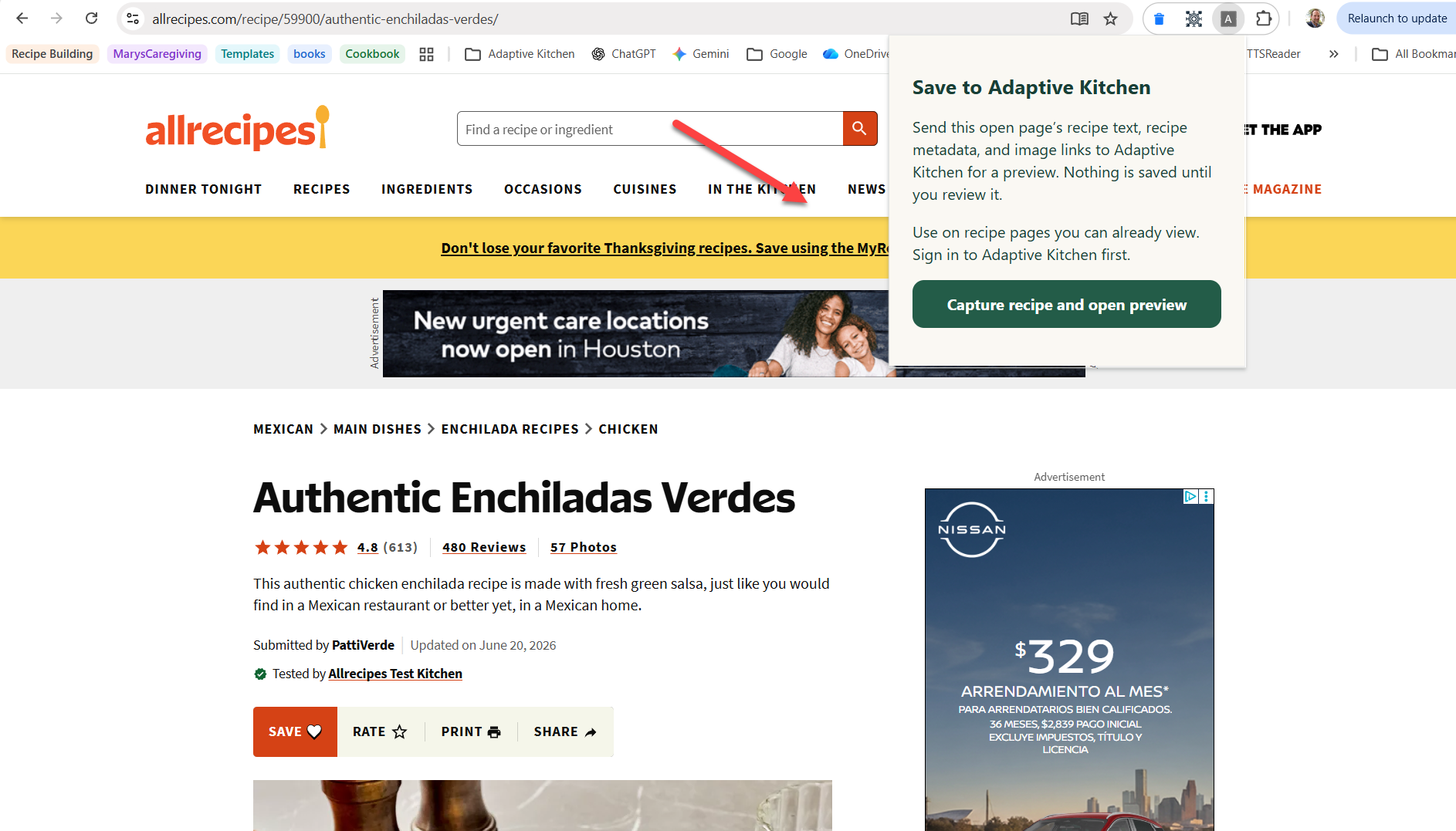 Clip from the recipe’s open browser tab · Enlarge screenshot
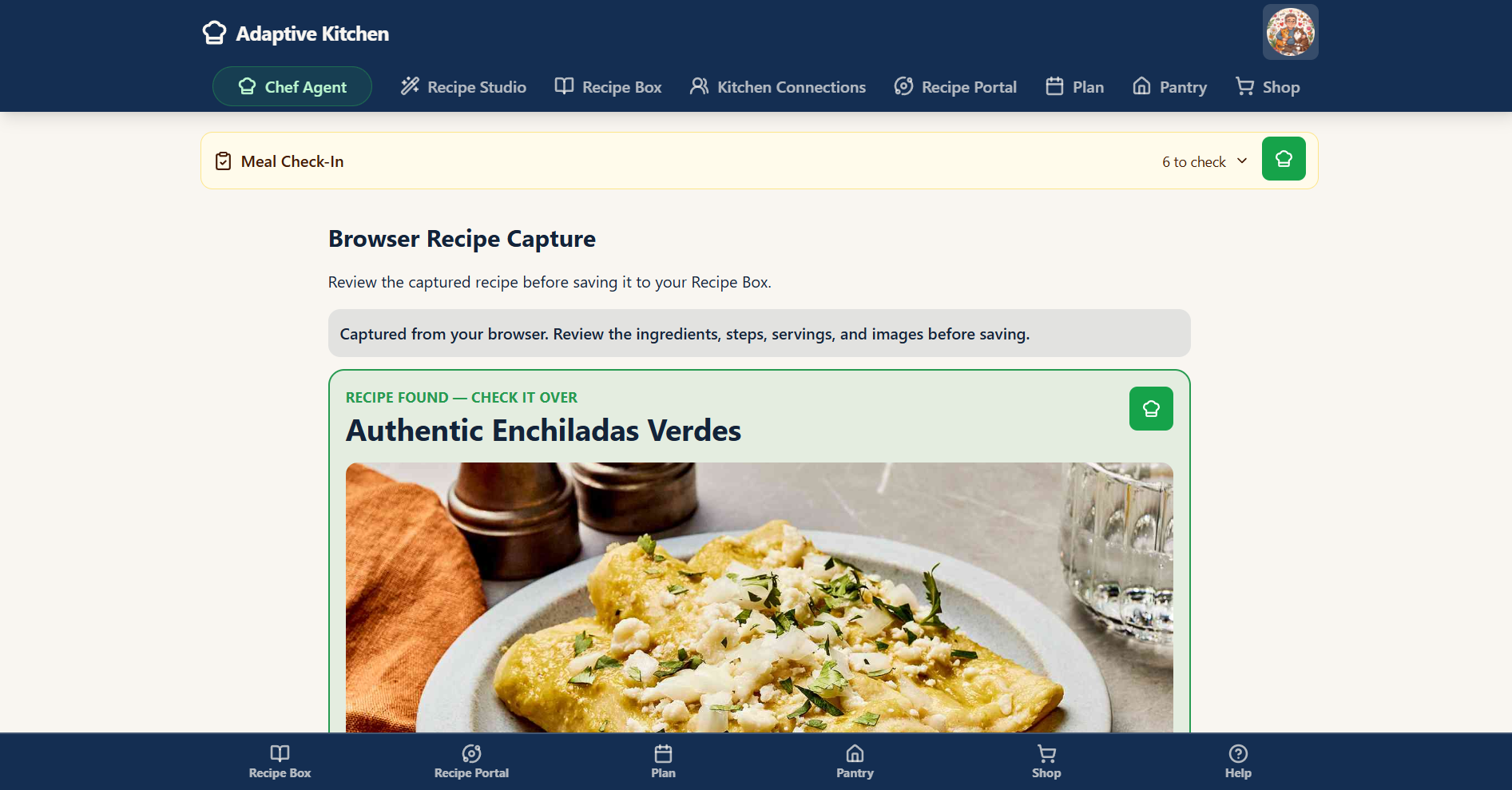 Review the captured recipe before saving · Enlarge screenshot
Ordinary clipping doesn’t use a Recipe Studio creation credit. Creating or substantially adapting a recipe in Recipe Studio uses your creation allowance. Imported source photos are separate from AI-generated image allowances.
Set up once on desktop Chrome or Edge. An Adaptive Kitchen sign-in is required. Use the Clipper on recipe pages you can already access; review the captured details before saving.
Bring recipes home
Start wherever the recipe starts.
Paste a supported web link, bring in recipe text from an email or message, capture a recipe with your phone camera, create your own recipe, preserve a family favorite, or discover something new. Use copied page source when a website blocks a direct import. Review the available recipe details before saving, then use the same Recipe Box, planning, and cooking tools however the recipe arrived.
Web links
Bring supported online recipes into a clean, structured format while keeping source attribution.
Copied text
Paste a title, ingredients and directions from emails, notes or messages. Review the organized preview before saving. This text-only method does not bring the original photos.
Photo Capture
Photograph a cookbook page, magazine recipe, printed sheet, handwritten card, or recipe you find away from home. Adaptive Kitchen extracts the recipe into a structured format you can review before saving it to your Recipe Box.
Your own recipes
Create recipes from scratch and keep personal or family favorites alongside everything else.
Discover recipes
Search by keywords inside Recipe Portal. Browse results, open a preview, and choose Load Full Preview for more detail before importing.
Page source
Copy a recipe website’s source code on a supported desktop browser. Available details and photos may come across, sometimes including step images.
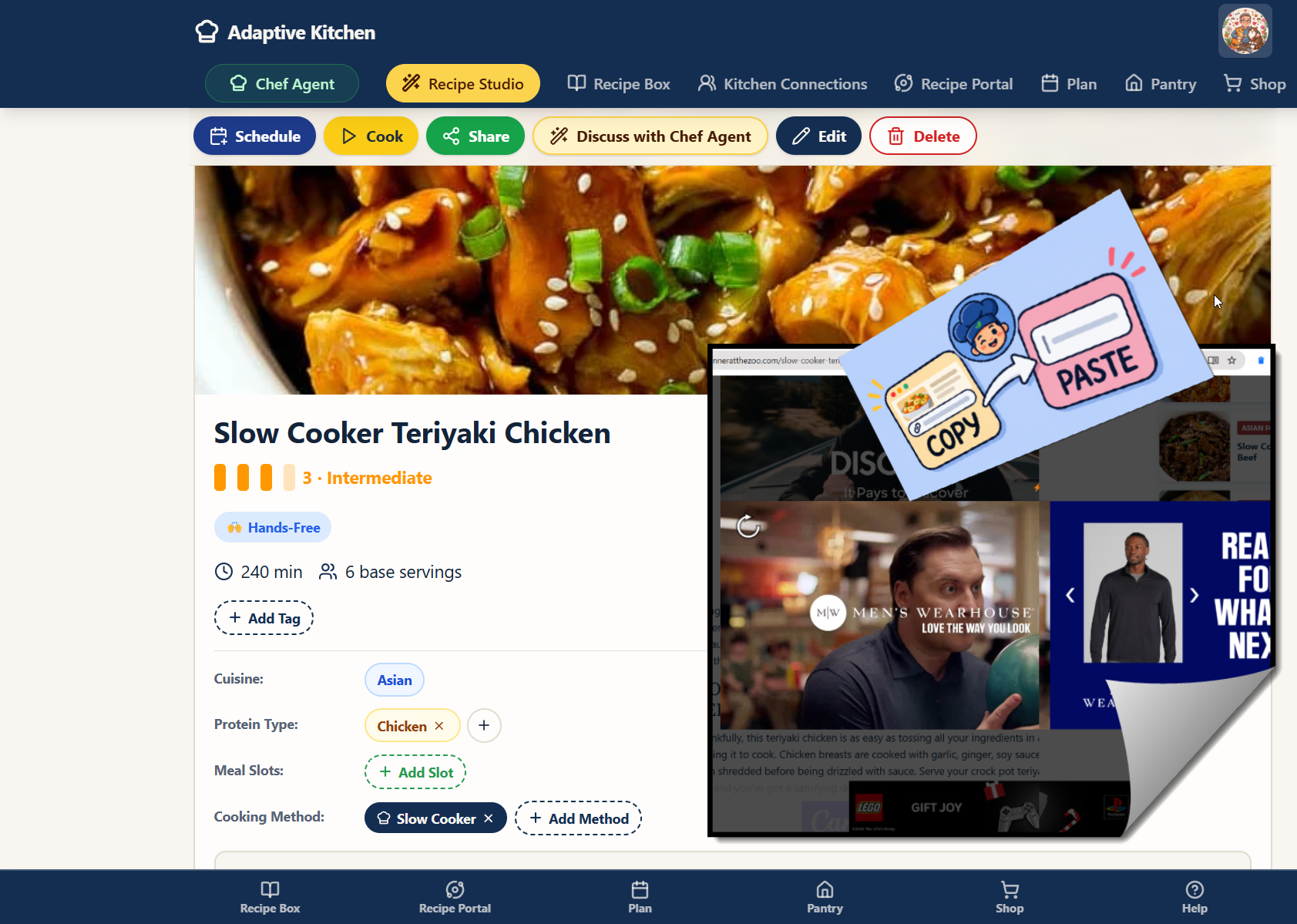 Import from the web
 Capture it with your phone
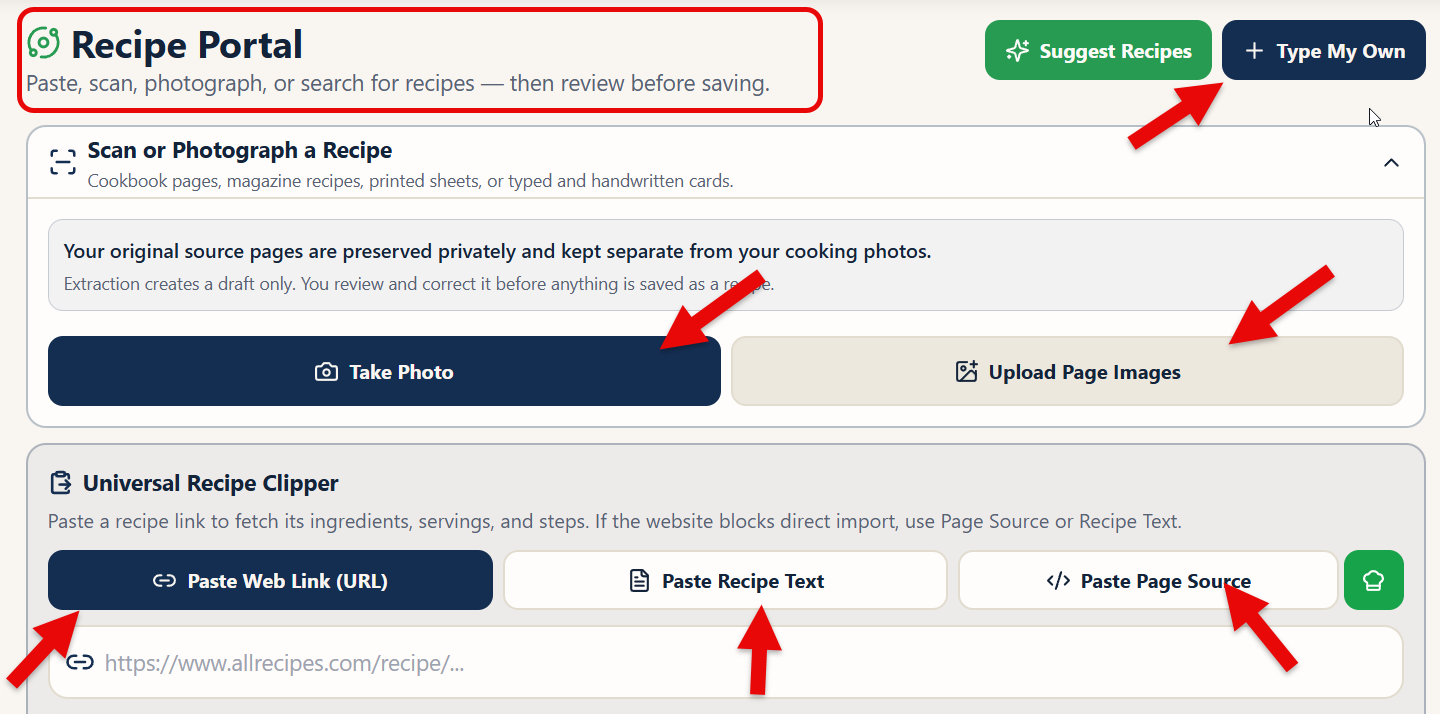 Choose your import method
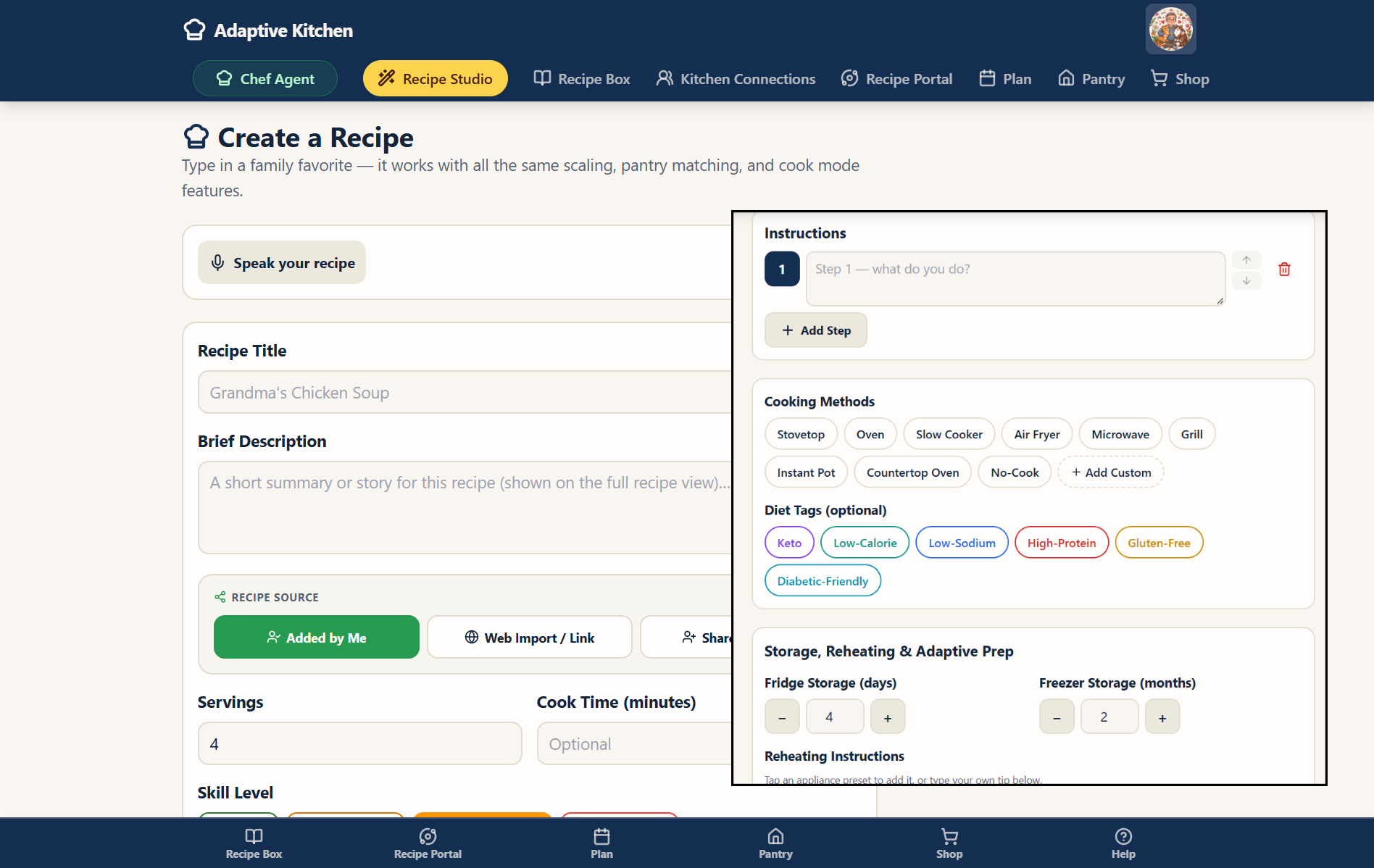 Create your own
A blocked link does not have to be a dead end
Try the page-source route.
For the best chance of capturing available recipe details and photos, use Paste Page Source rather than copying only the visible text. The green Chef hat beside Paste Page Source in Recipe Portal opens illustrated help.
See the four desktop steps
Windows · Chrome or Edge: start on the original recipe website. Then follow these four steps. Select any illustration to open a larger version in a new tab.
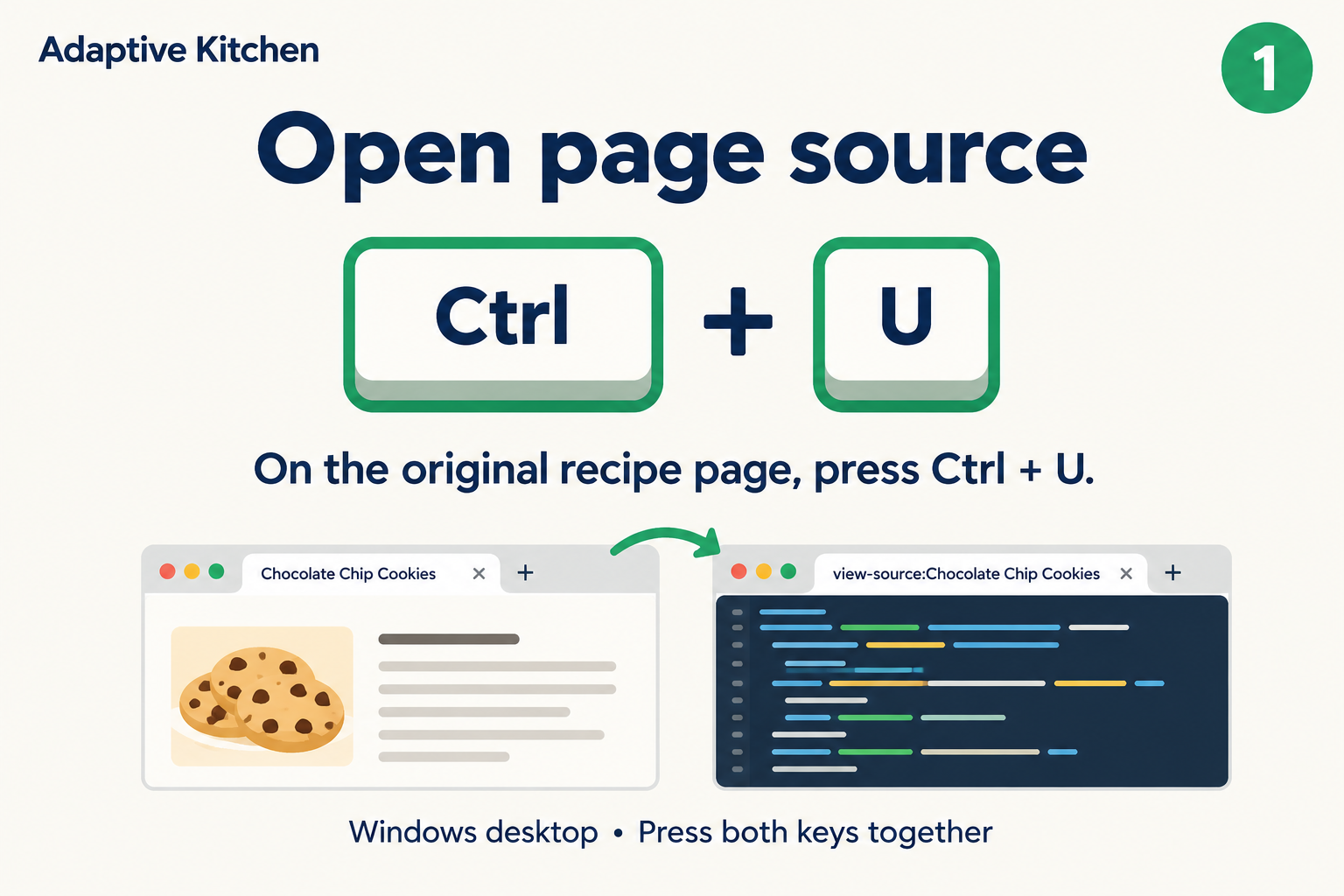 1. Open the source
On the recipe page, press Ctrl + U.
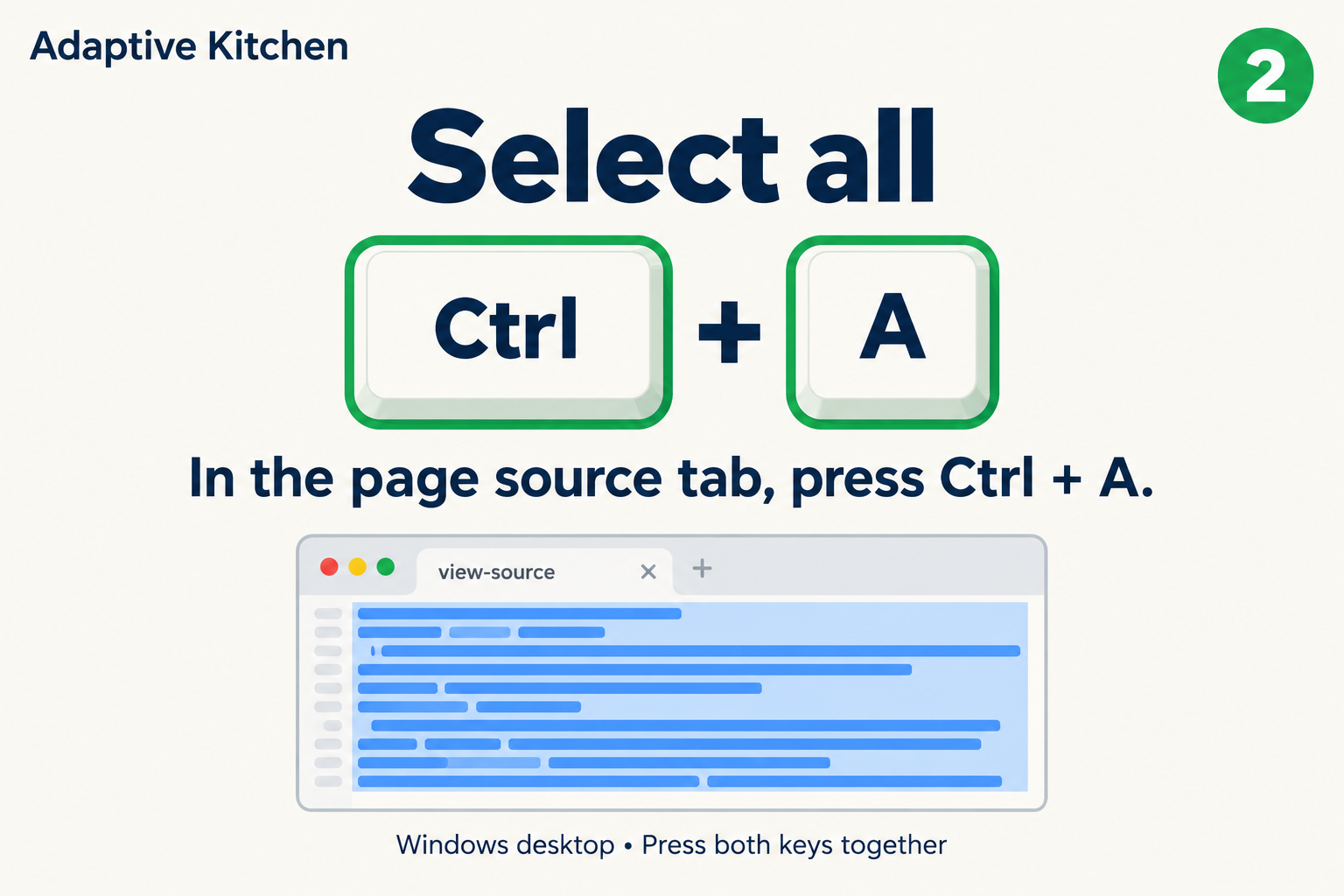 2. Select all
In the source tab, press Ctrl + A.
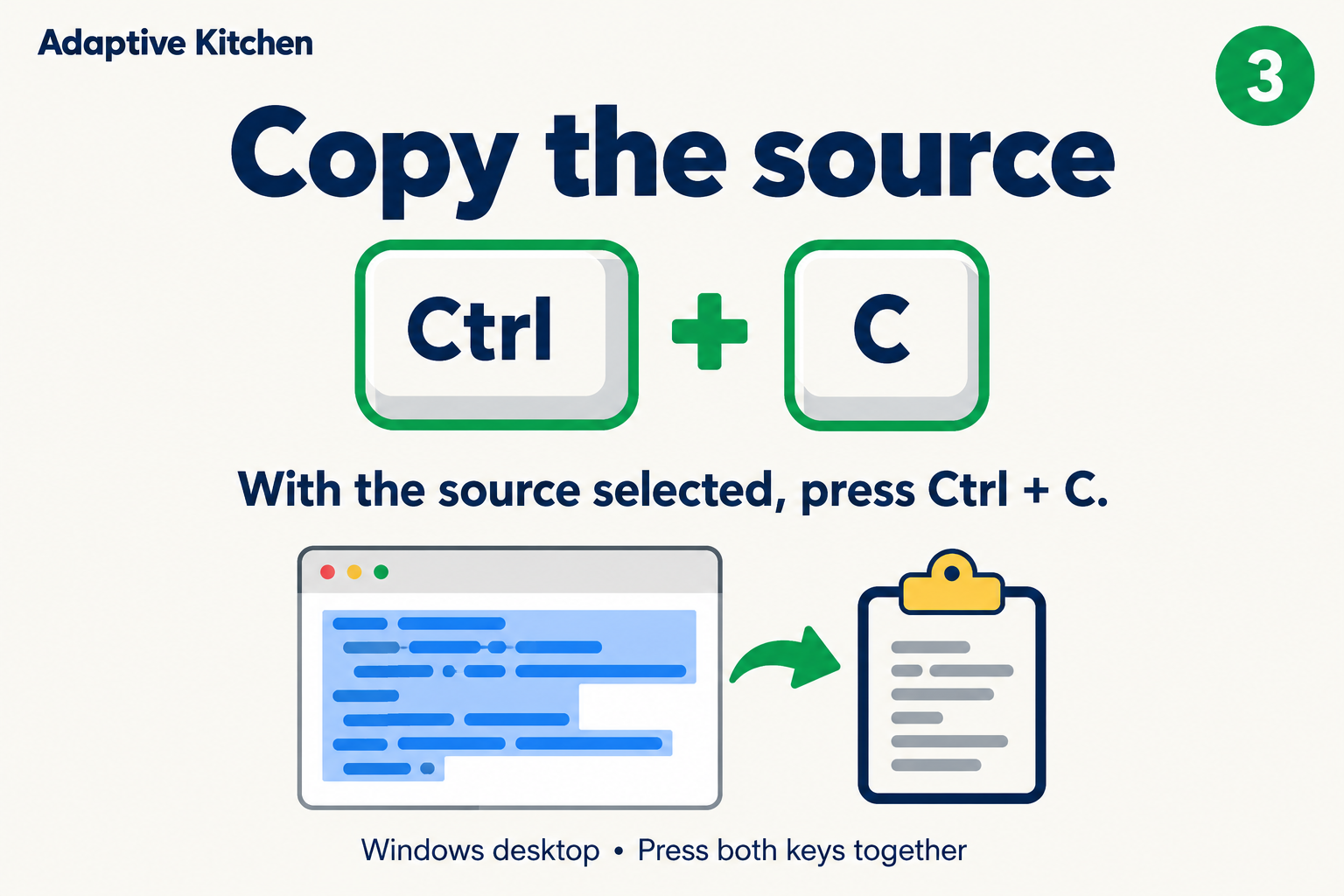 3. Copy
Press Ctrl + C to copy the selected code.
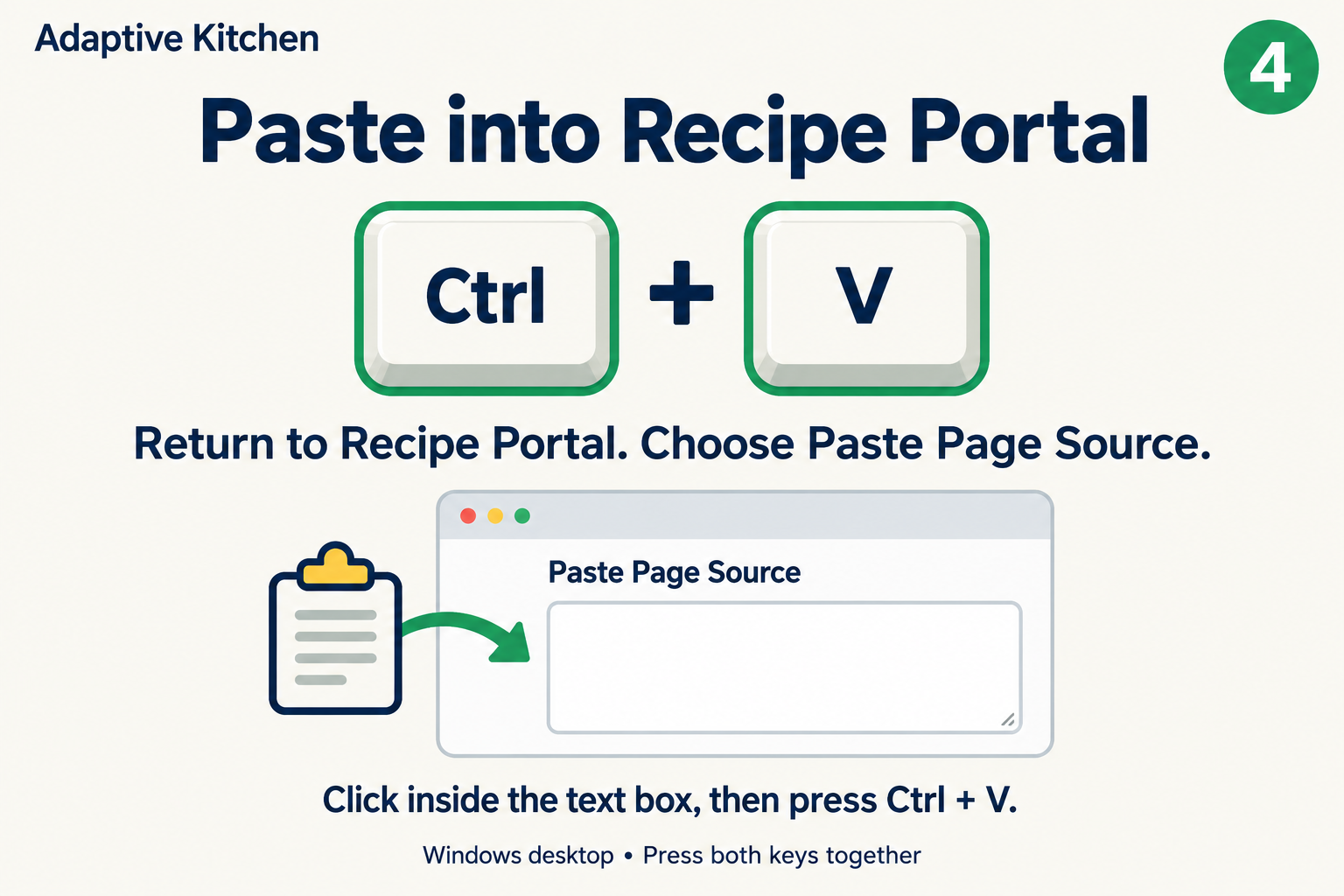 4. Paste and extract
Back in Recipe Portal, choose Paste Page Source. Click inside the box, press Ctrl + V, then choose Extract Recipe.
Review the preview before saving. A site’s restrictions can still limit the details or photos captured. On a phone, use Paste Recipe Text or Photo Capture.
Look before you save
A preview worth reviewing.
See the recipe information that was captured before adding it to your collection. Recipe Portal’s previews bring ingredients and directions into an organized layout, with servings, timing, attribution, notes, and other details when available.
For online discovery, a quick preview helps you decide whether a dish interests you. Choose Load Full Preview when you want the available full ingredients and directions. Loading a preview does not save the recipe.
What to check in the preview
- The title, source, servings, and timing.
- Ingredient quantities, sections, and optional items.
- Directions and any captured author notes.
- Available nutrition and photos, including step images when supplied.
The source determines what is available. Missing information should be reviewed rather than assumed. Preview content varies by import method.
Clean cooking experience
Keep the recipe. Leave the clutter behind.
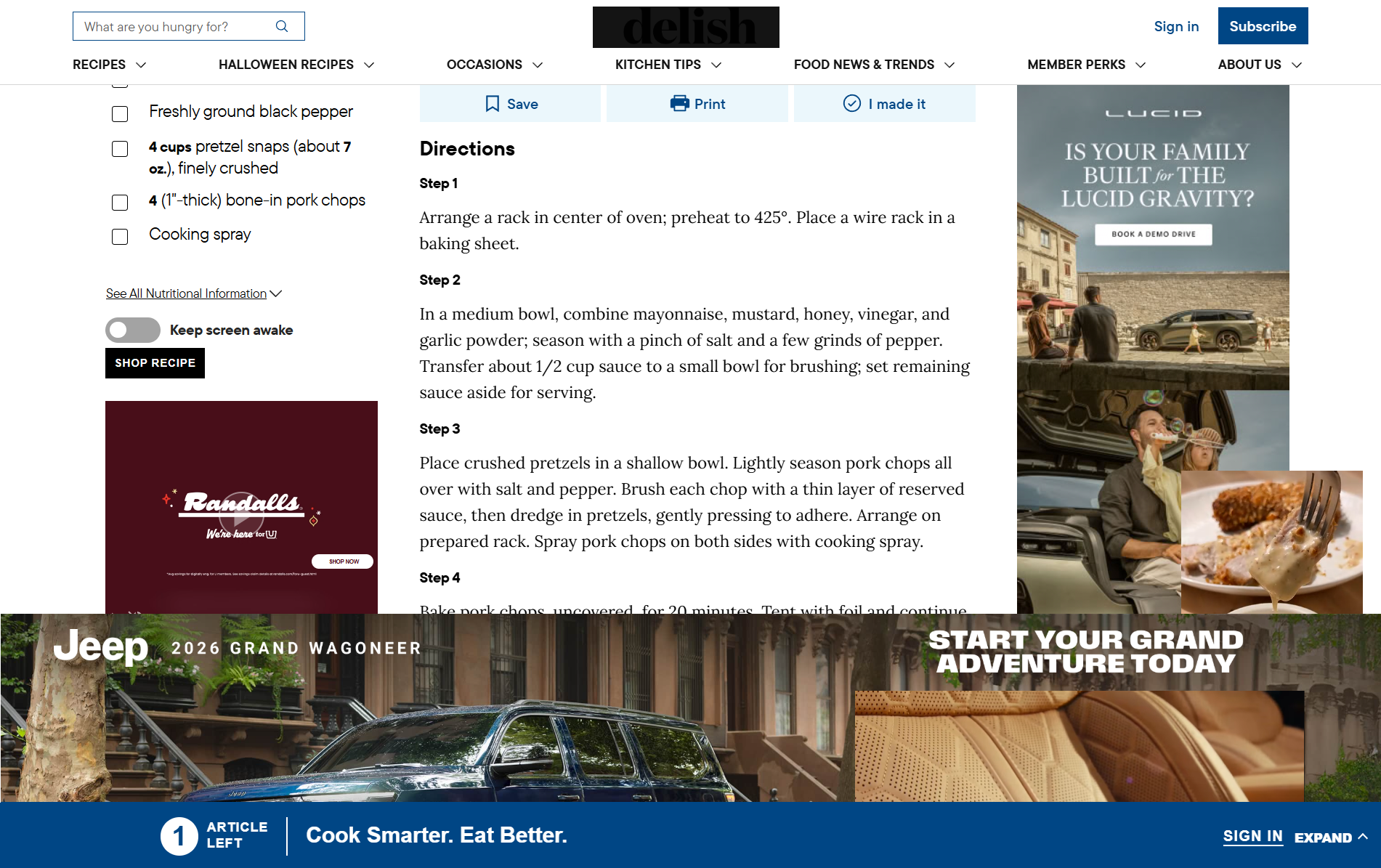
Discover recipes wherever inspiration finds you. Adaptive Kitchen can bring supported recipes into a cleaner cooking format so you can focus on the ingredients, instructions and meal — not unrelated advertising, pop-ups or endless scrolling.
Original source attribution stays with the saved recipe. The goal is not to erase where a recipe came from. It is to make the recipe easier to use once it reaches your kitchen.
“The recipe should be the star — not everything surrounding it.”
Your choice
Keep it standard — or make it work better for you.
Keep a recipe close to the original when it already works for you. When you want changes, open it in Recipe Studio and discuss how to reimagine it around your tastes, equipment, time, and preparation needs. Where your import flow offers a Standard or Adaptive choice, review the option before continuing.
Keep the recipe recognizable
Save it cleanly, search it, edit it, schedule it and cook from it without requesting deeper adaptation.
Reduce the work
Discuss practical shortcuts, ingredient alternatives, equipment and methods that fit your saved preferences. Review the proposed recipe and ask for changes before approving it.
Adapt for real life
Sometimes “adaptive” simply means fewer steps, different equipment, a countertop method or a better fit for tonight.
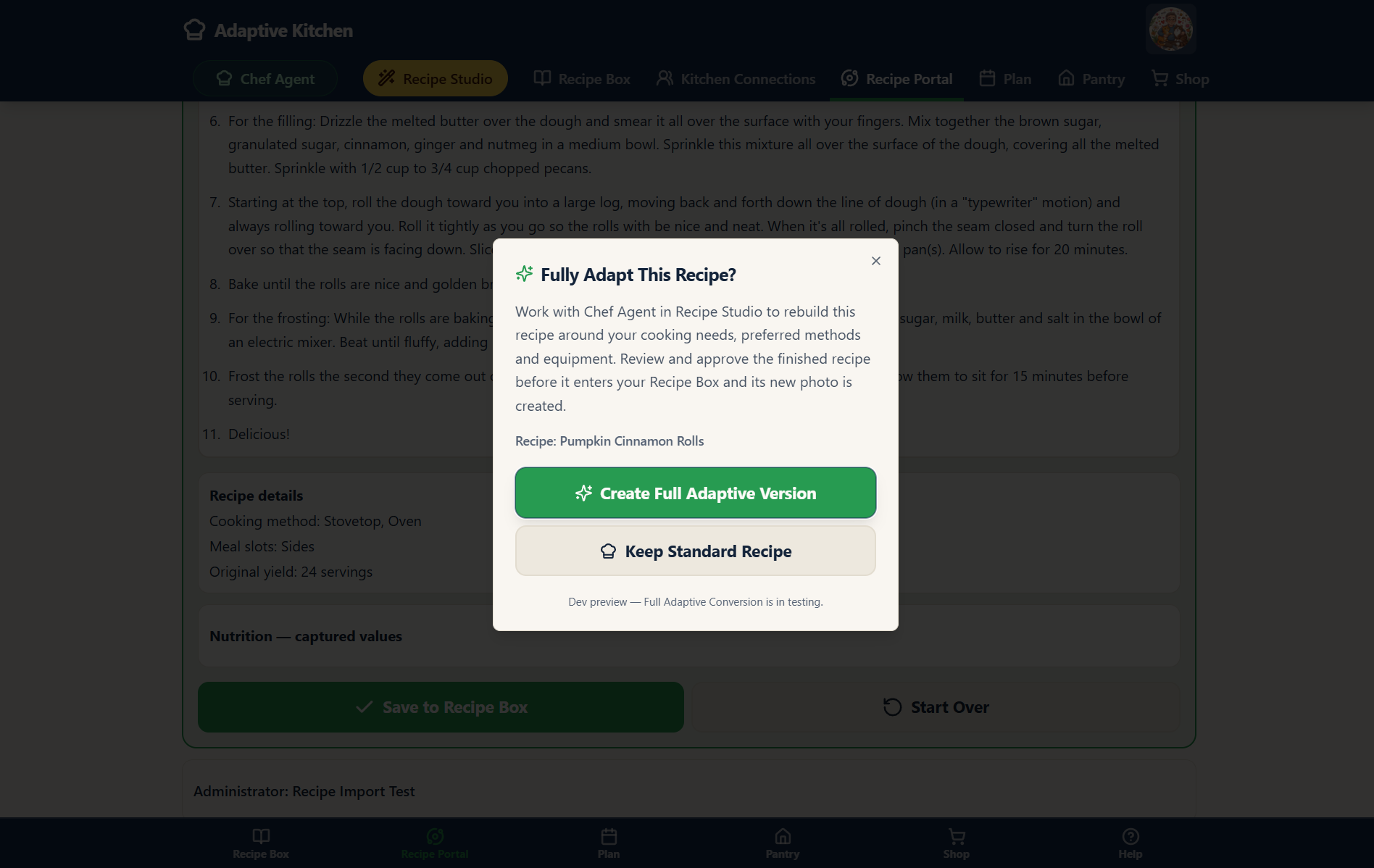 Choose standard or adaptive · Enlarge screenshot ⤢
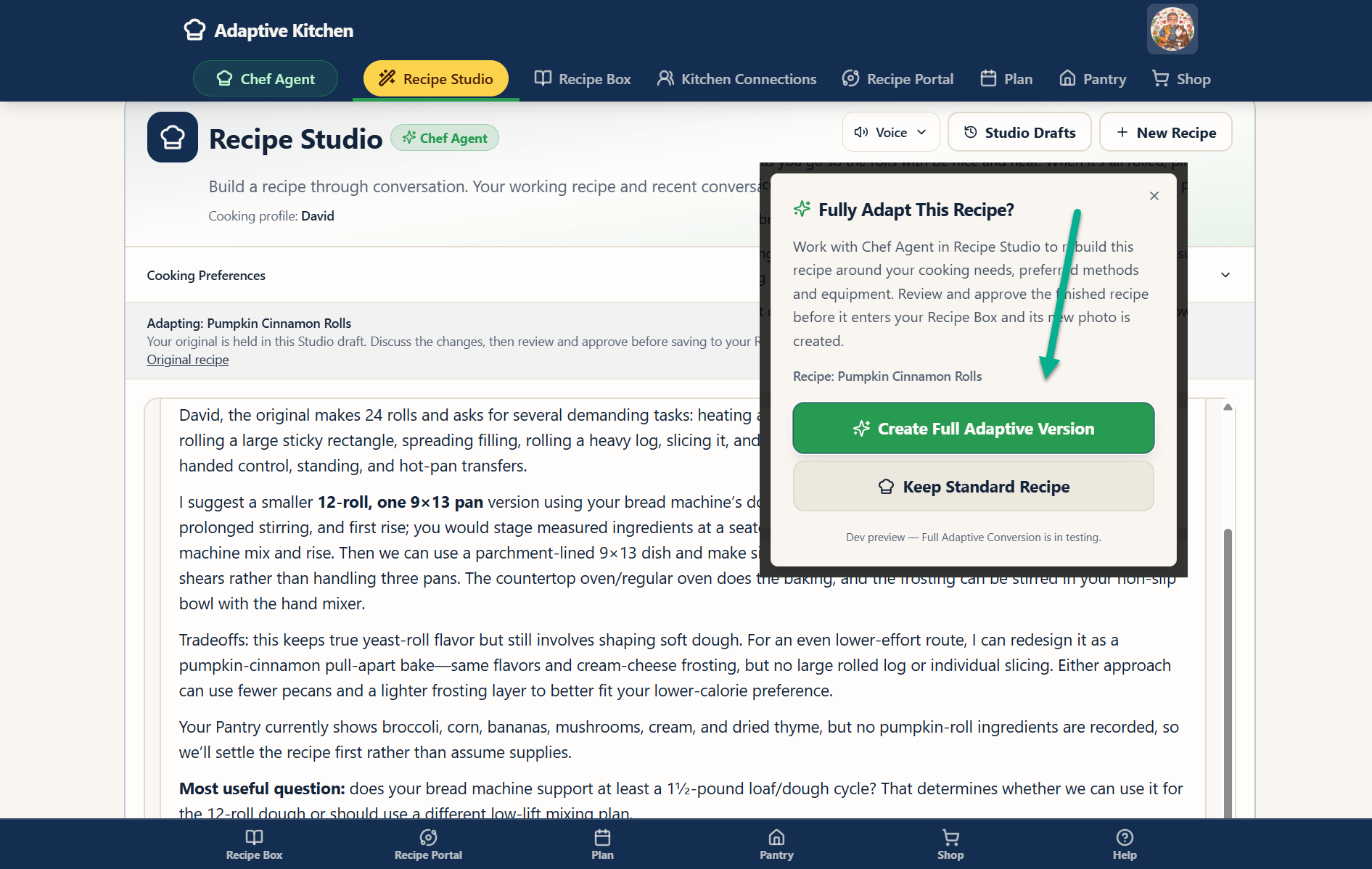 Discuss an adaptive version · Enlarge screenshot ⤢
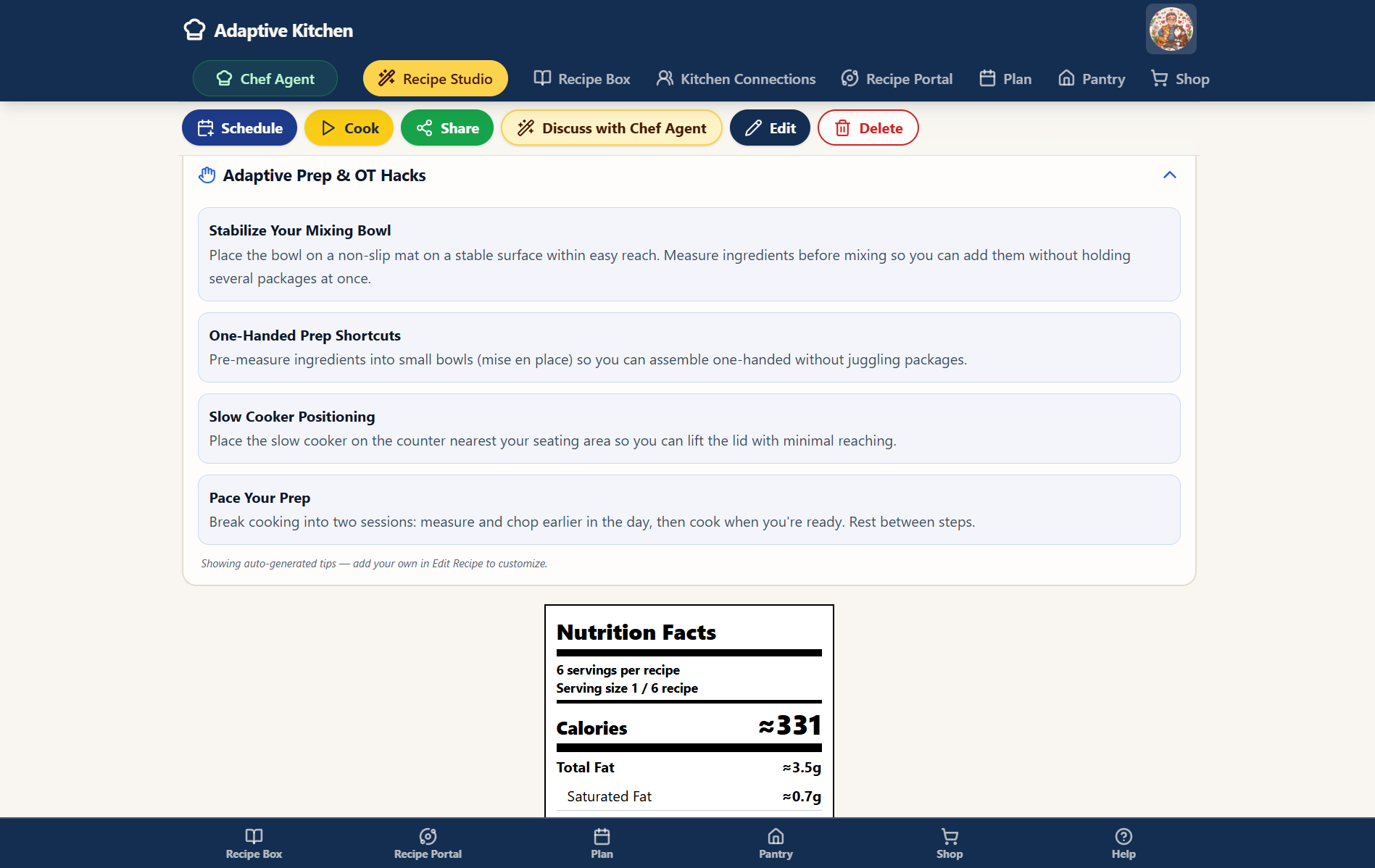 Adaptive preparation guidance · Enlarge screenshot ⤢
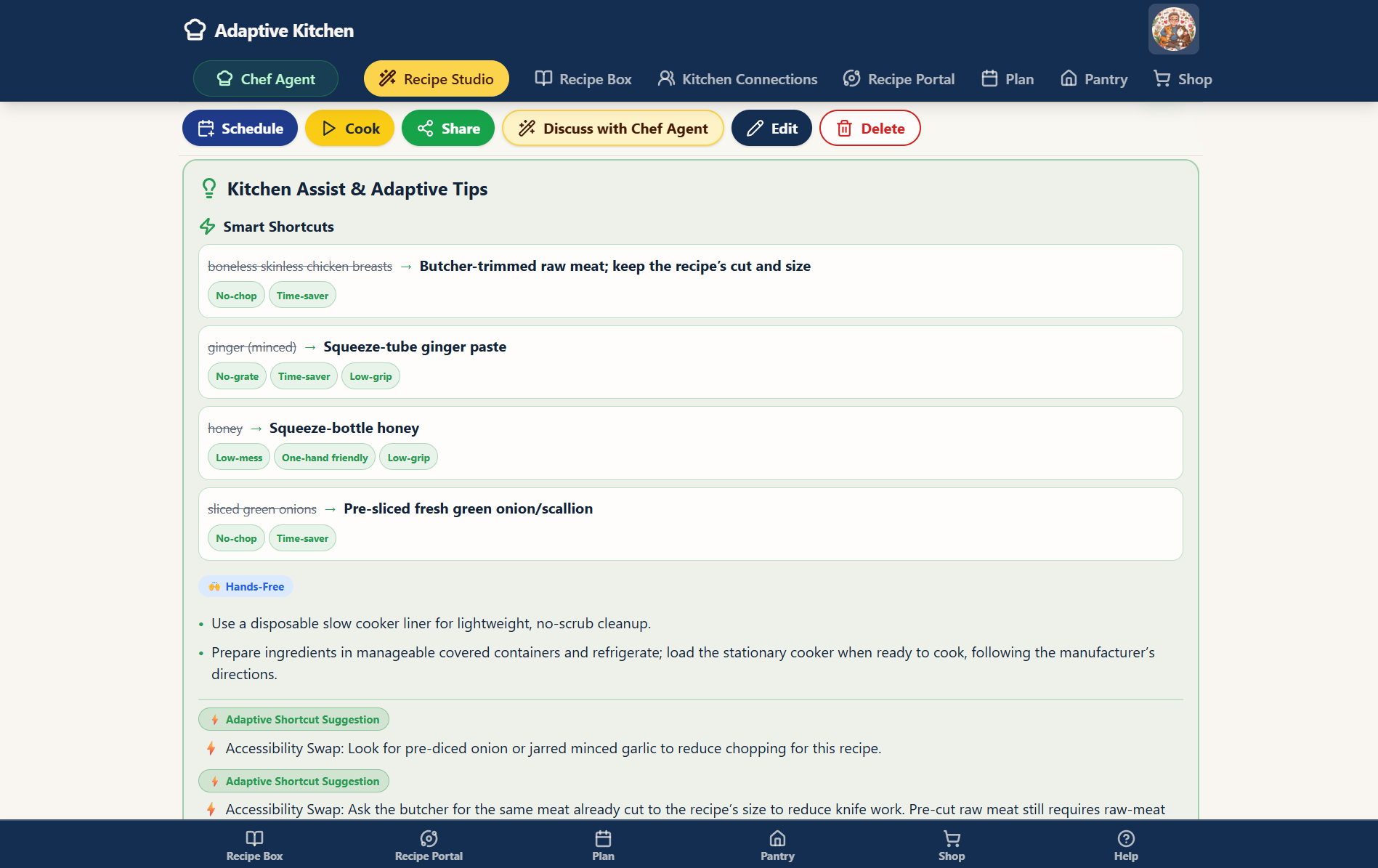 Assistance and adaptive tips · Enlarge screenshot ⤢
Make it yours
A saved recipe becomes your recipe over time.
Use the Recipe Journal for dated personal entries, such as substitutions that worked or what you would change next time. Keep these separate from captured Source Notes. Add your own food photos, adjust servings, and make supported recipe edits. The version in your Recipe Box can become the version you actually cook — complete with the little discoveries you never want to forget.
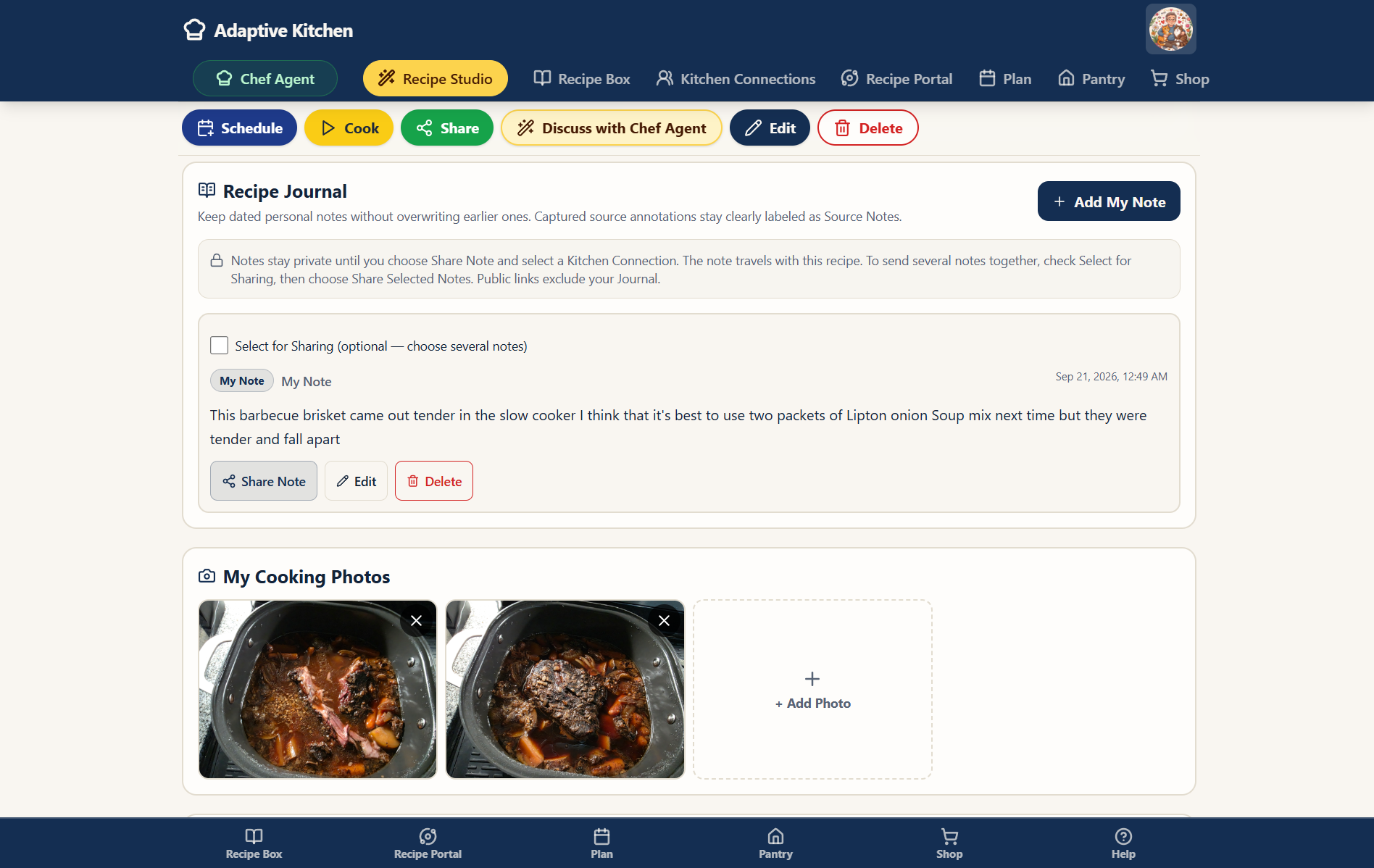
Smart discovery
Tell Adaptive Kitchen what you’re craving — or let it understand the meal you already chose.
Search for something specific, build around a meal you already picked, or create something completely new with Recipe Studio.
“I know what I want.”
Use keywords to discover recipes online. In your saved Recipe Box, combine search with meal-slot, cuisine, protein and cooking-method filters to narrow your own collection.
“I already picked dinner.”
From a main dish, explore compatible sides. Adaptive Kitchen can look in your own Recipe Box first, then intentionally expand discovery when you ask.
Create with Recipe Studio
Start from scratch or reimagine a saved recipe. Speak or type your ideas, refine the options together, and review the recipe before approving it. Saved preferences help tailor the conversation.
Preview, import, schedule
Browse accumulated discovery results, load more when you want, and open a fuller preview before saving. Use the green Chef hat where available to hear a short recipe overview.
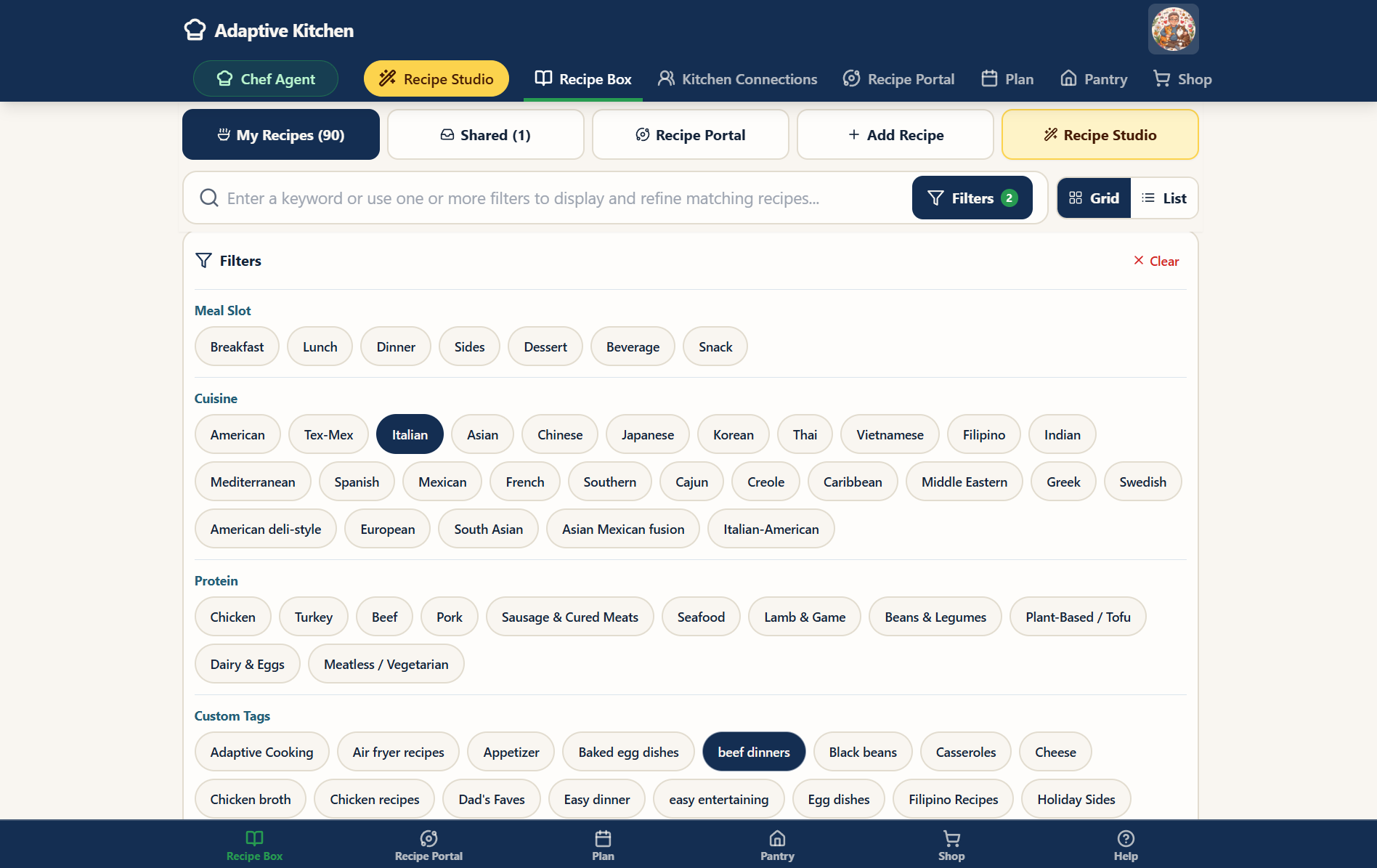 Search and filter · Enlarge screenshot ⤢
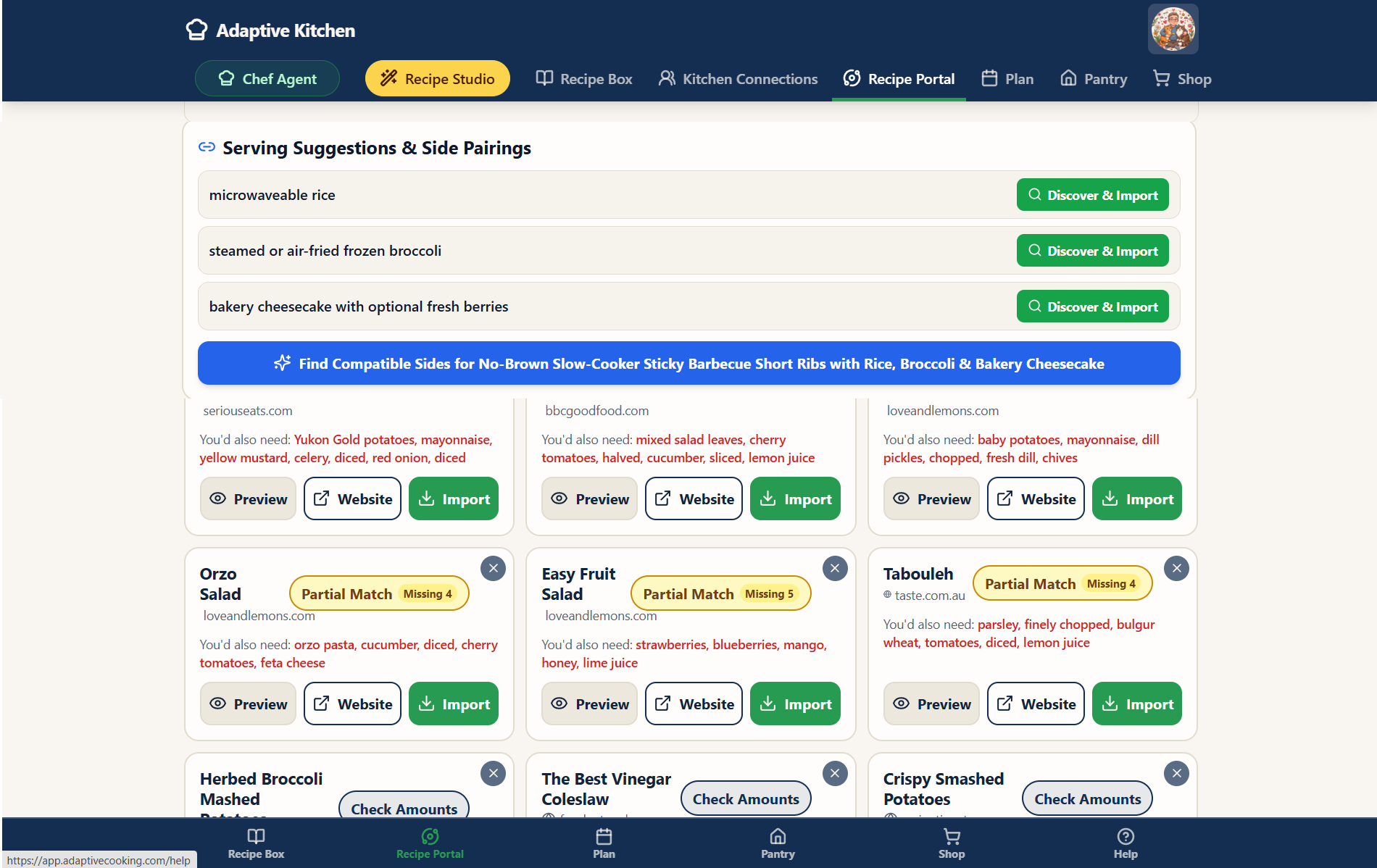 Find a matching side · Enlarge screenshot ⤢
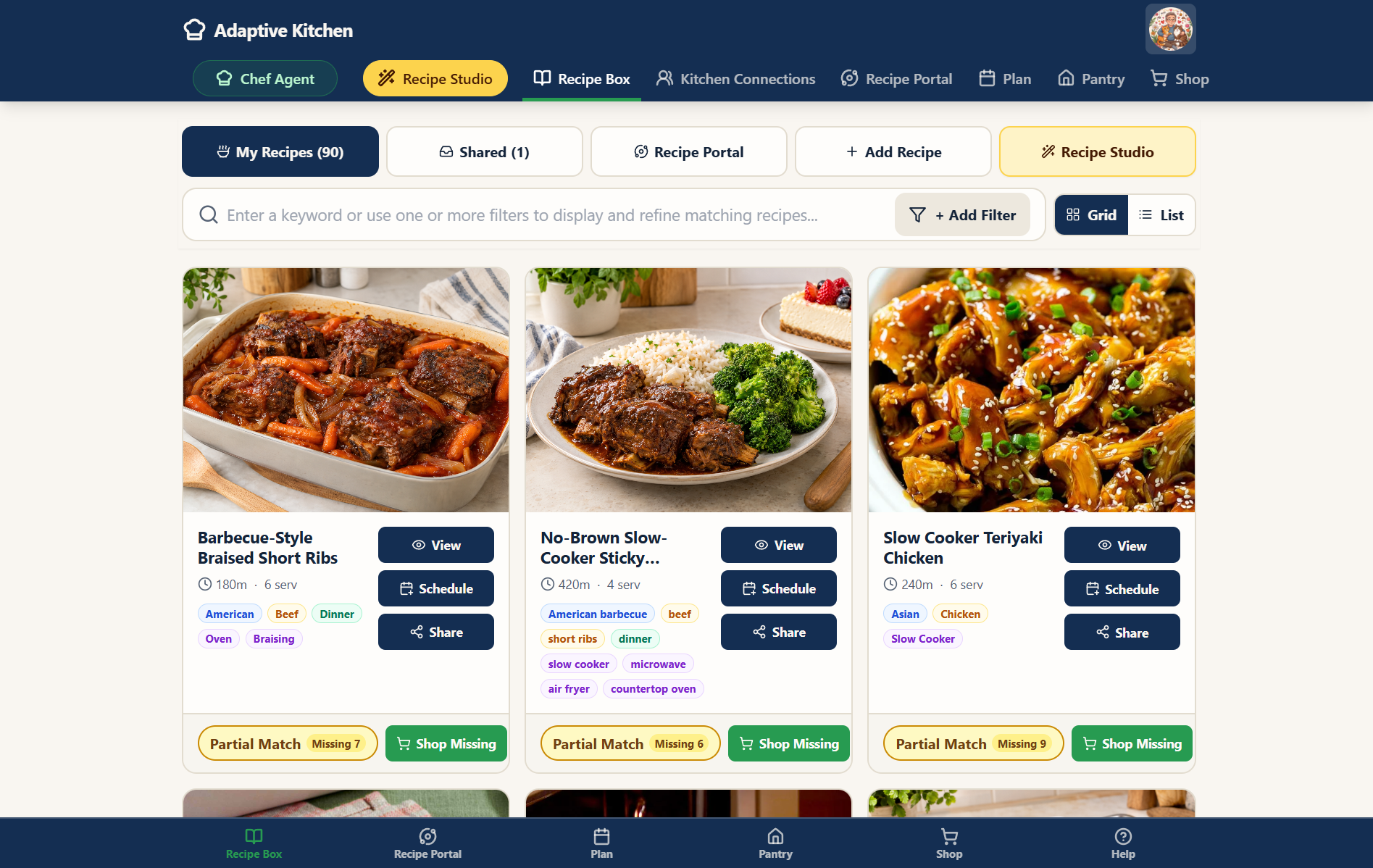 Browse your recipe grid · Enlarge screenshot ⤢
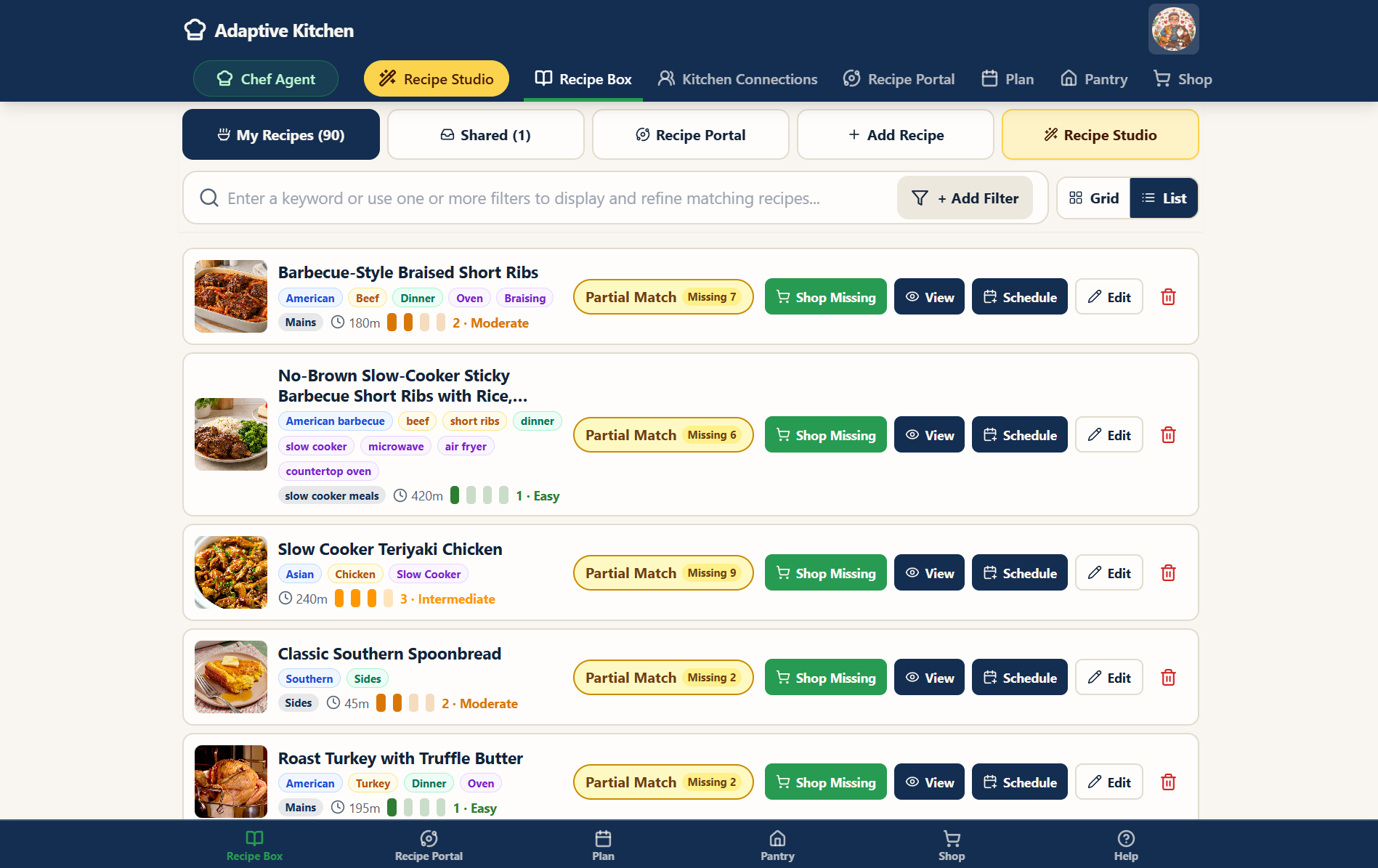 Use the compact recipe list · Enlarge screenshot ⤢
A quick tour
See Recipe Box in Action
Explore your saved recipes, ingredient coverage, cooking help, scheduling, and personal recipe journal.
About 1 minute · English captions included. Press play to watch with narration. Use the speaker control to adjust or mute the sound.
Read the video transcript
You found a recipe worth keeping. Now make it part of your kitchen.
Recipe Box brings your saved favorites together in one searchable collection. Browse the cards, search by name, or use filters to find something that fits your plans.
Open a recipe for a clear view of its ingredients, directions, source information, and available nutrition and photos.
Adjust the displayed servings to see the quantities you need. When Pantry features are enabled, review ingredient coverage and anything that needs checking.
Have a question? Use the green Chef hat where available for help understanding a step or discussing a substitution. Speak or type, then listen to the response or read it quietly.
Ready to cook? Open Cook Mode for a focused, step-by-step experience.
Planning ahead? Select Schedule, choose your date, meal slot, and servings, and continue into Meal Planner.
Keep dated notes and your own cooking photos in the Recipe Journal. When you want to reimagine the recipe, continue the conversation in Recipe Studio.
Your Recipe Box is more than a place to save recipes. It’s your personal digital recipe binder—ready to grow with you.
Your working recipe collection
Find it. Plan it. Make it again.
Use visual cards or a compact list, then combine search and filters to find a recipe that fits tonight. Open the recipe for the full details, or use its quick actions to view, schedule, or share.
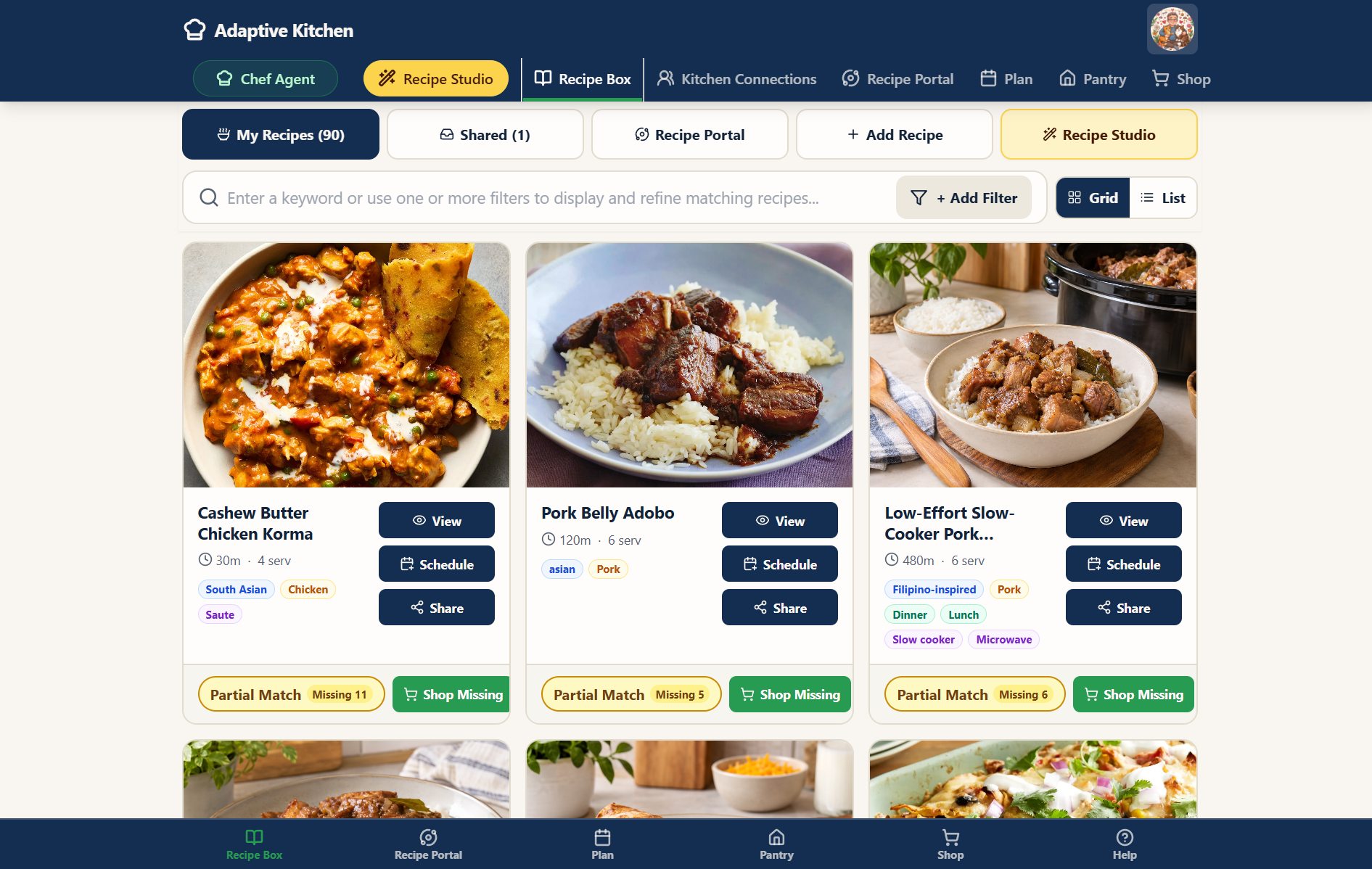
Understand the ingredient check
A partial match or missing-item count is a reason to review, not automatically a shopping instruction. Check the recipe’s ingredient panel for confirmed information, gaps, uncertain amounts, or possible alternatives.
Schedule with context
Choose a date, meal slot, and servings. If that slot already has a meal, review the available choices before saving. Multiple sides can be paired with planned breakfast, lunch, or dinner meals.
Keep your discoveries
Record a dated Recipe Journal entry after cooking, keep personal photos, and return to the version you enjoy. Journal entries are private by default and separate from the recipe author’s notes.
A quick tour
See Chef Guidance in Action
Hear examples of step guidance, ingredient alternatives, and cooking questions, then explore the route into Recipe Studio.
About 1 minute · English captions included. Press play to watch with narration. Use the speaker control to adjust or mute the sound.
Read the video transcript
A little guidance can make a recipe feel much more approachable.
Open the green Chef hat beside a recipe step for help understanding the technique.
Chef voice sample: David, for this final assembly step, set up the cool shells, filling, Parmesan, butter, water, and baking dish/skillet together at your seated work surface before turning on the oven heat. Use your non-slip bowl for the filling; it stays put while you work with your right hand.
Wondering about an ingredient alternative? Review it with Chef before making a substitution.
Chef voice sample: Yes, David. Your pre-diced yellow onions are a good no-knife substitute here.
You can also speak or type a question while cooking, with help available right inside Cook Mode.
Chef voice sample: David, use a 10-inch oven-safe skillet you can manage instead—your lightweight skillet is a good option if it is oven-safe.
Want to take the recipe in a new direction? From the full recipe page, select Discuss with Chef Agent to explore an adaptation or variation in Recipe Studio.
Your recipe. Your choices. Guidance when you need it.
A helping hand, right in the recipe.
Wondering about a step or an ingredient alternative? Select the small green Chef hat where available to open a focused conversation while keeping the recipe in view.
- Ask for a clearer explanation of the step you are preparing.
- Discuss a possible substitution before deciding to use it.
- Speak or type, then listen to the reply or read it quietly.
These conversations provide advice. To rework the recipe itself, use Recipe Studio and review the changes.
Cook Mode
One step at a time.
Open Cook Mode for a focused cooking view. Follow the directions, enlarge available step photos, and use Listen when you want to hear the instructions.
Step-specific Chef help keeps the discussion about what you are doing now. When automatic replies are enabled, the Chef’s response can be read aloud; voice controls remain available.
For help understanding the app itself, use the green Chef Assistant button in the top navigation. Recipe Studio remains the place to create and reimagine recipes.
See cooking help in action.
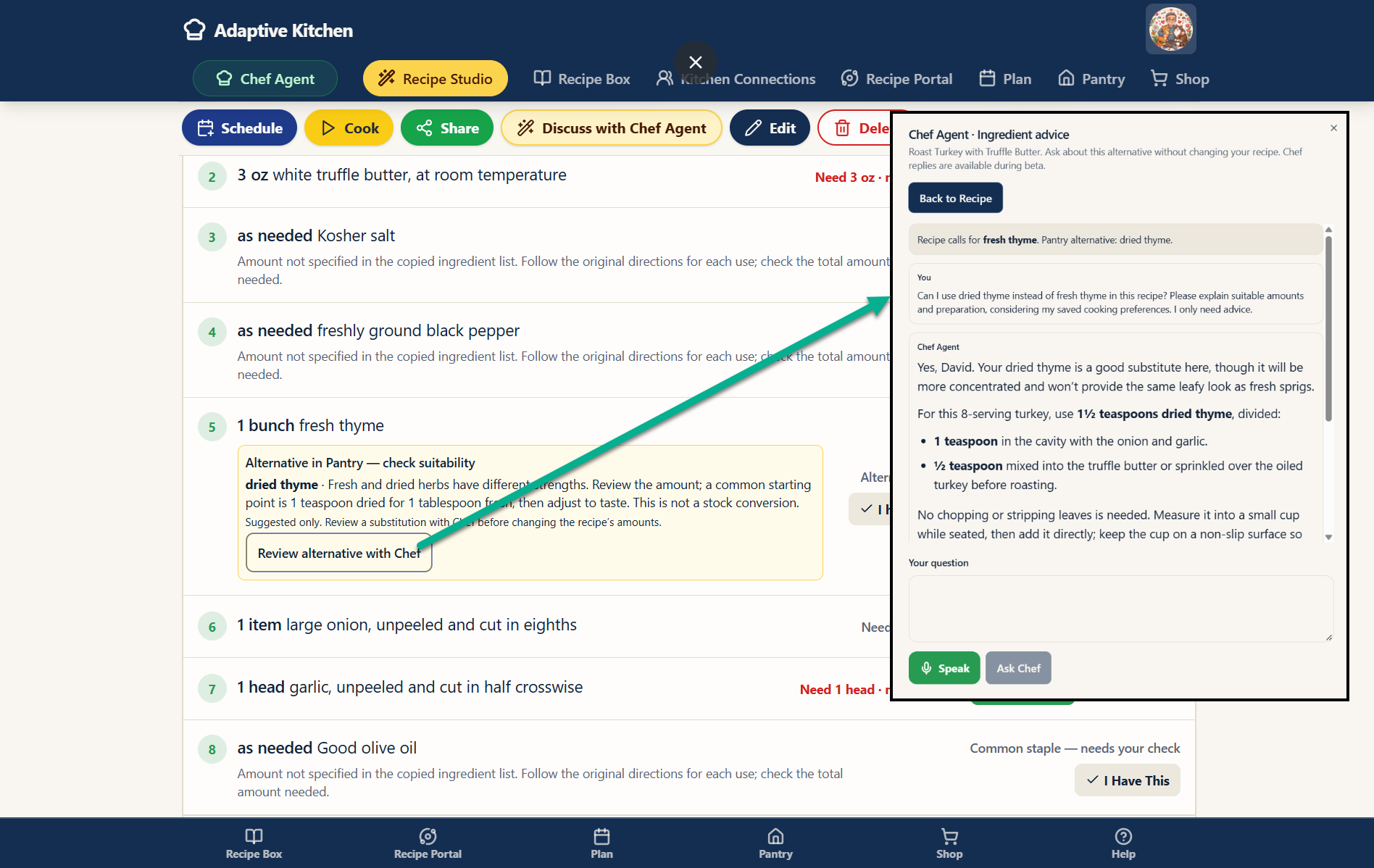 Ingredient substitution advice · Enlarge screenshot ⤢
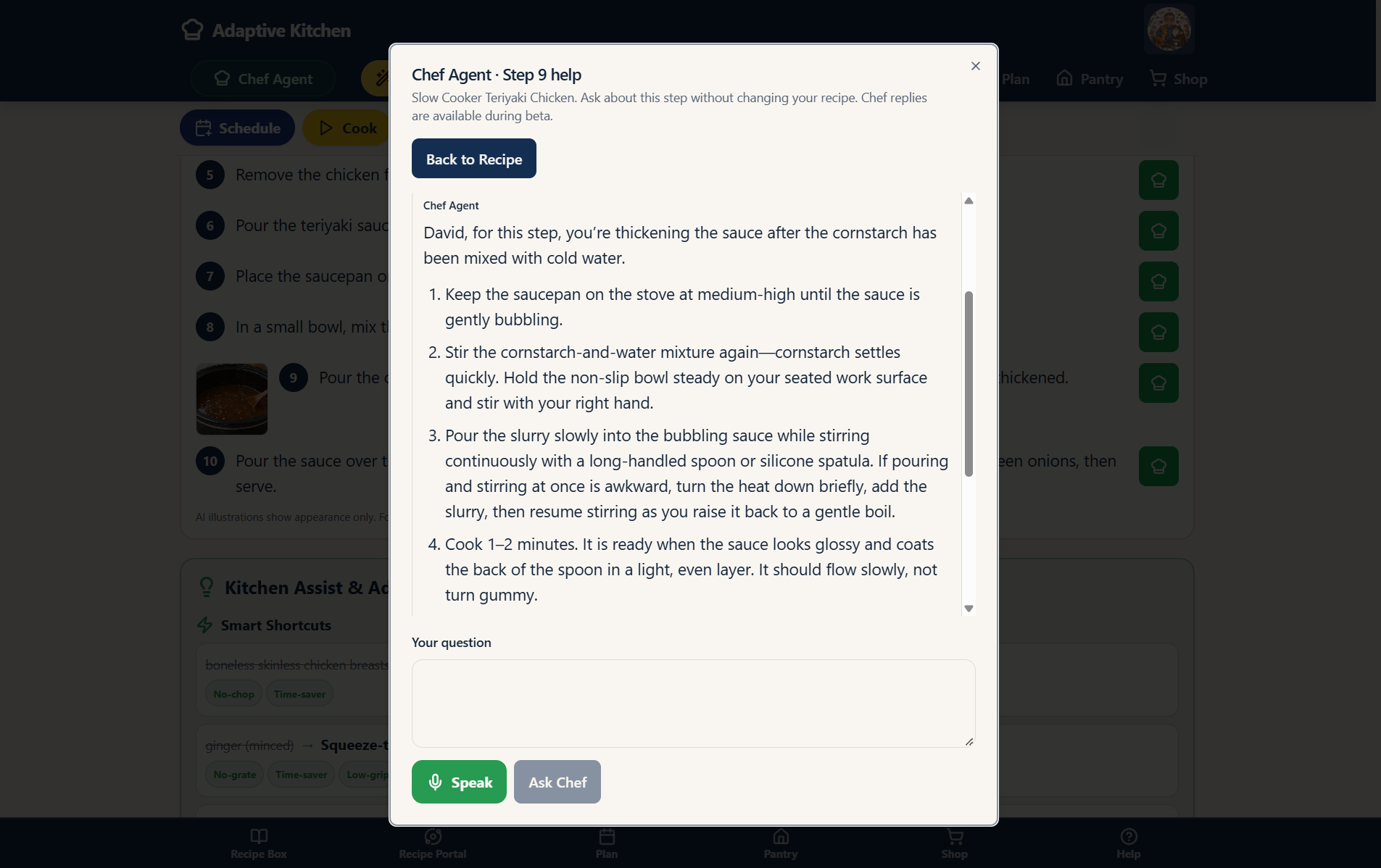 Ask about the current step · Enlarge screenshot ⤢
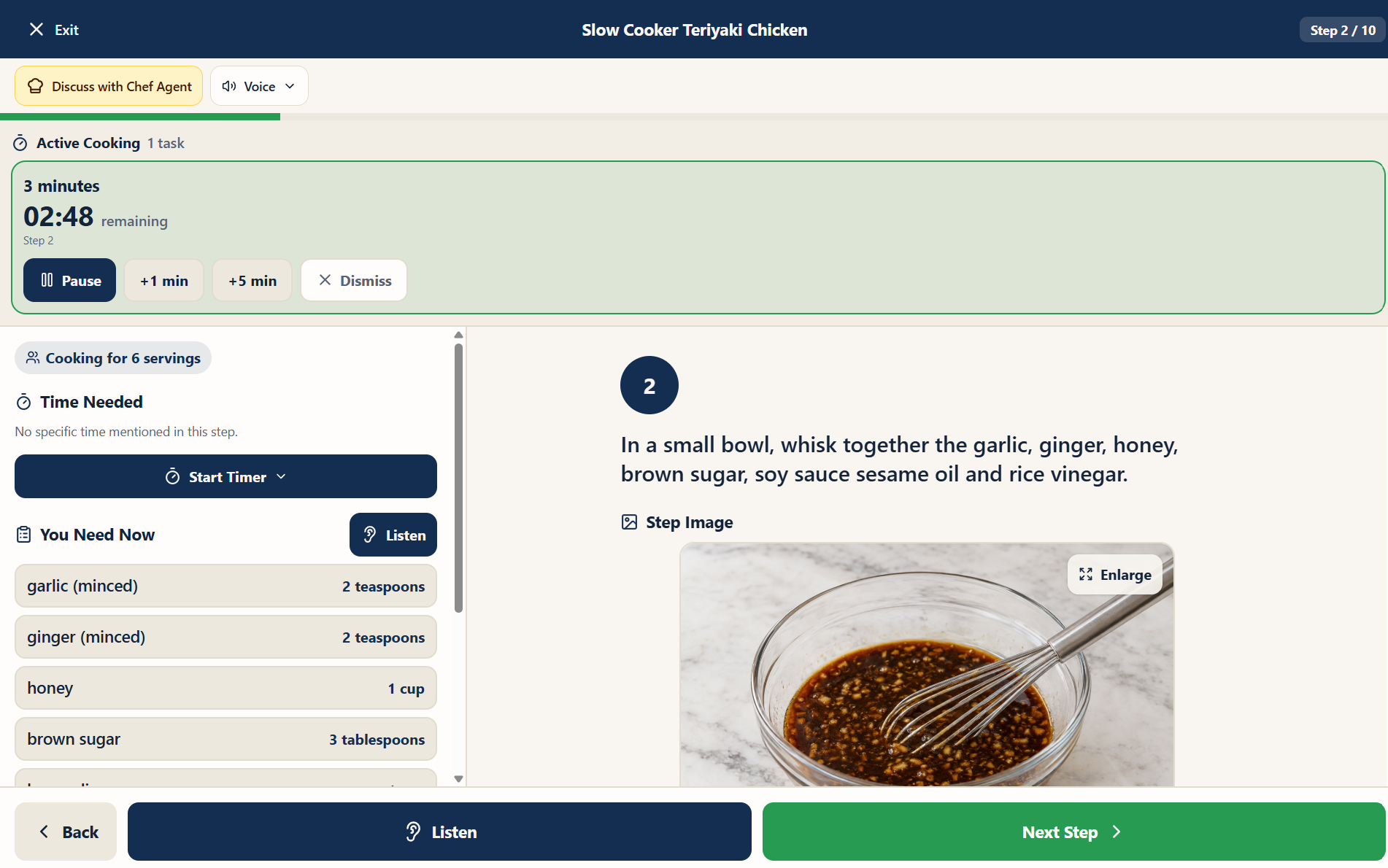 Follow along in Cook Mode · Enlarge screenshot ⤢
One recipe. An entire kitchen built around it.
Saving the recipe is only the beginning.
Questions
Recipes, Importing & Recipe Studio FAQ
From finding a recipe to creating one from scratch, here are answers to the questions people are most likely to have as they build their Recipe Box.
What websites can I import recipes from?
Adaptive Kitchen is designed to import recipes from many publicly accessible recipe pages. Because recipe sites use different technologies and can change over time, some sources may import more cleanly than others. When available, the original source link and attribution stay with the saved recipe.
What if a web recipe does not import cleanly?
Try Paste Page Source on a supported desktop browser: on the recipe website in Windows Chrome or Edge, press Ctrl+U, Ctrl+A, then Ctrl+C. Back in Recipe Portal, choose Paste Page Source, paste with Ctrl+V, and select Extract Recipe. Review the preview before saving. Available photos may come across, but capture is not guaranteed. On a phone, Paste Recipe Text or Photo Capture provides an alternative.
What kinds of recipes can I bring in with Photo Capture?
Photo Capture is designed for recipes that do not begin as a web link — such as cookbook pages, magazine recipes, printed sheets and family recipe cards. After capture, you can review the extracted recipe before it becomes part of your Recipe Box.
What is Recipe Studio?
Recipe Studio lets you create a recipe from scratch or reimagine one you already saved. Start with a craving, ingredient, cuisine, appliance or meal idea, or open an existing recipe to discuss changes. Saved cooking preferences help personalize the options. Review and approve the recipe when you are satisfied.
Can Recipe Studio work with what I already have?
Yes. When you use Pantry, available ingredient information can help Recipe Studio suggest ideas alongside your saved equipment, preferences and cooking methods. Unknown quantities should be checked rather than treated as exact. You can also tell the Chef what you have directly and discuss substitutions or another approach.
Can I change my mind while creating a recipe in Recipe Studio?
Absolutely. You can ask to swap ingredients, change the flavor profile, use a different appliance, simplify the preparation, reduce chopping, or take the recipe in another direction. The point is to refine it together until the recipe feels right for your kitchen.
Do I have to convert every recipe into an adaptive version?
No. Keep a recipe close to the original when it already suits you. When an import flow offers Standard and Adaptive choices, choose the path you want. You can also open a saved recipe in Recipe Studio later to discuss changes around your preferences and review the result before approving it.
What can change when I reimagine a recipe?
Depending on the recipe and your needs, you can discuss ingredients, servings, preparation methods, equipment, shortcuts and practical cooking adaptations. For example, ask for less chopping, a different appliance, or more hands-off preparation. Review the ingredients and directions, request adjustments, and approve the recipe when it fits your kitchen.
Will Adaptive Kitchen keep the original recipe source?
When source information is available, Adaptive Kitchen keeps the recipe connected to where it came from. A cleaner cooking experience should not erase attribution or make you lose track of the original source.
Can I edit a saved recipe later?
Yes. Your Recipe Box is meant to become a working collection, not a frozen archive. You can make supported edits, adjust servings, record substitutions and keep the version that reflects the way you actually cook.
Can I add my own notes and cooking photos?
Yes. Use dated Recipe Journal entries to remember substitutions, results and ideas for next time. Journal entries are private by default and distinct from the author’s Source Notes. You can also keep your own cooking photos with the saved recipe.
How does recipe discovery work if I already know what I want?
Search by keywords in Recipe Portal for online ideas, then open a preview and load the full preview when you want more detail. In Recipe Box, combine saved-recipe filters to narrow your collection. From an eligible main dish, explore compatible sides from your own recipes or expand to online discovery when you choose.
Can I move a recipe directly into my meal plan?
Yes. The recipe experience is connected to the rest of Adaptive Kitchen. Once you find, import or create a recipe, you can continue into scheduling and meal planning without treating each step like a separate system.
What happens when I import one of David’s Weekly Favorites?
David’s Weekly Favorites are already prepared as finished Adaptive Kitchen recipes. When an official import button is available, the recipe can be brought into your Recipe Box as the approved version rather than being treated like an ordinary recipe that still needs to be interpreted from a third-party web page.
Will every import include nutrition and step photos?
No. Captured information depends on the source and import method. Some sources provide step images and nutrition; others do not. Pasted recipe text does not bring original photos. Review what was captured, and use the recipe’s nutrition recalculation option where available if you need an estimate.
Does a recipe preview save anything to my Recipe Box?
Opening or loading a preview does not save the recipe. Review it, then use the import or save action when you decide to keep it. Discovery results stay available in the same browser session until cleared or dismissed; this is separate from saving a recipe to your account.
Does asking the Chef about a step create a new recipe?
No. The small Chef hat for a step or ingredient alternative opens focused advice about that recipe. Close the conversation to continue. Use Recipe Studio when you want to create or reimagine a recipe and review the changes before saving.
Ready to turn recipes into a plan?
Your Recipe Box is where the journey starts. Next, see how those recipes become a flexible meal plan built around the way you actually live.
Explore Meal Planning →Adaptive Kitchen. Cooking within reach.